
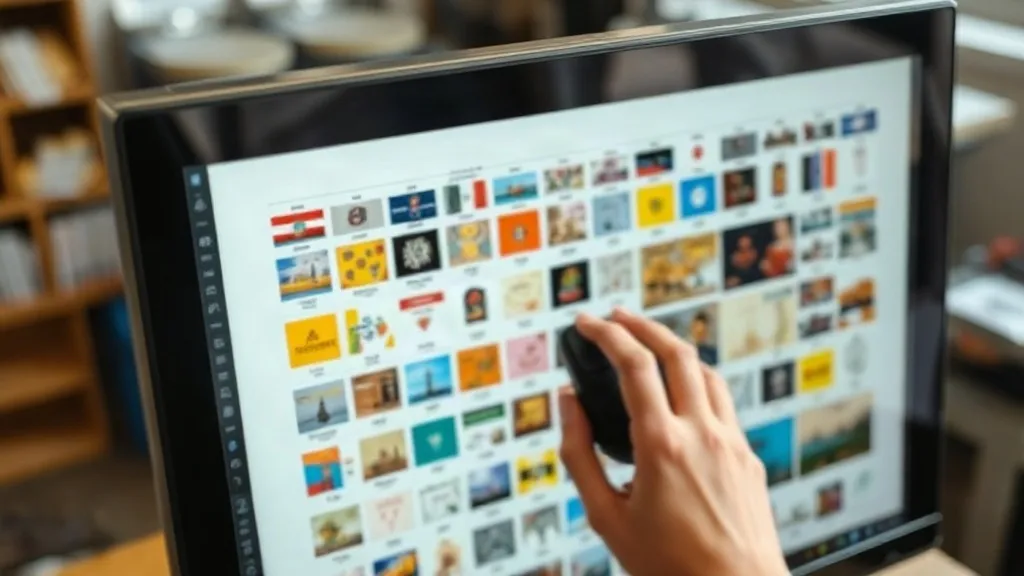
If you run a small print shop, you already know that the difference between a profitable week and a break-even one often comes down to how you handle small orders. A customer wants three shirts for a family reunion. Another needs five hoodies for a team. Individually, these jobs barely cover your time. But when you learn to build a smart DTF Gangsheet, those small runs can add up to real money. This guide walks through the practical side of gangsheets: what they are, how to build them without wasting film, and the mistakes that quietly drain your margins.
What a Gangsheet Actually Is (and Why It Matters)
A gangsheet is a single sheet of DTF film that holds multiple designs, arranged to fit as tightly as possible. Instead of printing one small logo on a 12-inch sheet, you fill that sheet with as many jobs as you can. The film cost stays roughly the same, but the output multiplies. For a shop that handles a lot of small orders, this is the difference between charging $15 per shirt and charging $8 while still making a profit.
The concept is simple, but execution separates the shops that scale from the ones that stay stuck. You need to think about design placement, ink coverage, film width, and how the sheet will be cut and pressed later. A poorly built gangsheet can waste more time in cutting and weeding than it saves in printing.
Building a Gangsheet That Works
Start with a clear idea of your film width. Most DTF printers run either 13-inch or 24-inch rolls, and your gangsheet layout should match. If you are printing on a 13-inch roll, you have about 12.5 inches of usable width. Every design needs a small gap (usually 0.2 to 0.3 inches) so you can cut cleanly. Plan your layout on screen before you send it to print. Most RIP software includes a nesting tool, but manual placement often gives you tighter results.
Group by Job, Not by Design
It is tempting to fill a sheet with every small design you have in queue, but that creates chaos at press time. Instead, group designs by the order they belong to. If a customer orders five shirts with the same logo, place all five copies together. That way, when the sheet comes off the printer, you can cut one block and press all five shirts in a row. This reduces handling and the risk of mixing up sizes.
Mind the Ink Coverage
DTF printing uses white ink as a base, and white ink is expensive. A gangsheet packed with large, solid-color designs will eat through ink quickly. If you have a mix of small and large jobs, balance them across multiple sheets. Also, consider the white underbase thickness. For dark garments, you need a solid white layer, but for light garments, you can reduce the white ink to save cost. Your RIP software should let you adjust white ink density per design.
The Cutting and Pressing Workflow
Once the sheet is printed and powdered, you need to cut it into individual transfers. A guillotine cutter or a rotary trimmer works, but for complex shapes, a vinyl cutter with a contour cut is faster. If you are cutting by hand, use a sharp blade and a steady ruler. Sloppy cuts lead to uneven edges that show on the garment.
Pressing is where the gangsheet layout pays off. If you grouped by job, you can press all the pieces for one order without switching settings. Keep a heat press log for each sheet: temperature, pressure, and time. DTF transfers typically press at 300-320°F for 10-15 seconds, but film brands vary. Always do a test press on a scrap garment before running a full order.
Common Mistakes That Cost You Money
- Overfilling the sheet: Cramming designs too close together makes cutting difficult and increases the chance of tearing the film.
- Ignoring film grain: DTF film has a slight grain direction. Printing designs rotated 90 degrees can affect adhesion and feel. Keep all designs oriented the same way.
- Skipping the powder shake: Adhesive powder must be applied evenly. A clumpy layer leads to patchy adhesion and customer complaints.
- Not accounting for shrinkage: If you are printing on 100% cotton, the garment may shrink after washing. Cut transfers slightly larger to compensate.
Pricing Your Gangsheet Work
Pricing is where many shops guess and lose. A simple formula: calculate your film cost per square inch, add ink cost (white ink is the biggest variable), add powder and labor, then multiply by your desired margin. For a 13x19 sheet, film might cost $1.50, ink around $0.80, powder $0.20, and labor $1.00. Total cost is $3.50. If you fit 10 small designs on that sheet, your cost per design is $0.35. Charge $2.50 per transfer and you have a healthy margin. But if you only fit 5 designs, your cost doubles. This is why layout efficiency matters.
Also consider the time saved. A well-built gangsheet reduces setup time between jobs. That time has value. If you can press 20 shirts in the time it used to take for 10, you can take on more orders without hiring.
When to Use a Gangsheet Service vs. In-House
If you are just starting out, building gangsheets in-house requires a printer, powder shaker, and curing oven. The upfront cost can be $5,000 or more. For low volume, it may make sense to order gangsheets from a service like DTF Gangsheet and focus on pressing and selling. As your volume grows, bring it in-house. The break-even point is usually around 200-300 transfers per month. Track your numbers carefully.
Scaling Your Gangsheet Workflow
Once you have a reliable gangsheet process, you can scale by batching orders. Set a cut-off time each day for gangsheet submissions. Print all sheets in one run, then cut and press the next day. This batching reduces machine downtime and lets you negotiate better film prices. Also, keep a library of your most common designs pre-nested. When an order comes in, you can drop it into a template and print immediately.
Another scaling tip: standardize your film sizes. Instead of ordering multiple widths, stick to one or two. This simplifies inventory and reduces waste. And train your staff on the nesting software so anyone can build a sheet correctly.
Frequently Asked Questions
How many designs can I fit on a DTF gangsheet?
It depends on design size. A 13x19 sheet can hold about 10-15 small chest logos (3x3 inches) or 4-6 larger back prints (10x12 inches). Always leave a small gap between designs for cutting.
Can I mix different fabrics on one gangsheet?
Yes, the gangsheet itself is just film. The fabric matters at press time. You can print transfers for cotton, polyester, and blends on the same sheet, but you may need to adjust press settings per garment. Always test.
What is the shelf life of a DTF transfer?
Properly stored transfers (cool, dry, away from direct sunlight) last about 6-12 months. Powdered transfers are more stable than unpowered ones. Label each sheet with the print date.
Do I need a special printer for gangsheets?
Any DTF printer can print gangsheets. The key is your RIP software's nesting capability. Some printers come with limited software, so check before you buy.
How do I prevent film from curling during printing?
Curling usually happens when the film is too dry or the printer's platen heater is too hot. Store film in a sealed bag with a desiccant pack. Adjust heater settings according to the film manufacturer's recommendations.